The job's done.
Your final check isn't.
Close out clean. Get paid fast.
Digital Punchlists & Client Sign-Off for Remodelers
Payment disputes start before the final check is written. PunchFinal gives residential remodelers a digital punchlist, client sign-off, and timestamped PDF — so there's no debate about what was done and accepted.
14-day free trial · $29/month after · Cancel anytime · Pro & Team tiers available for proposals + multi-user
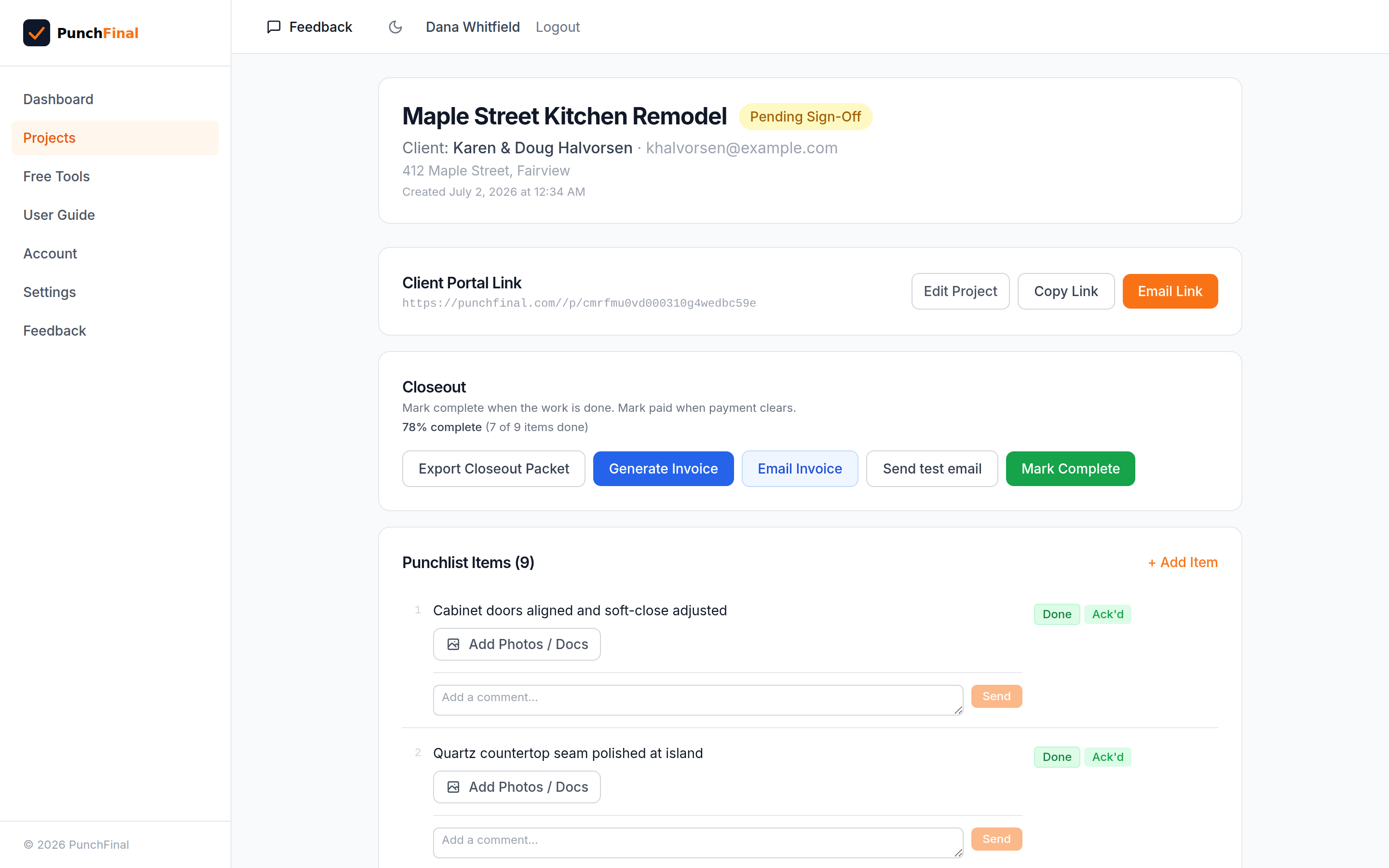
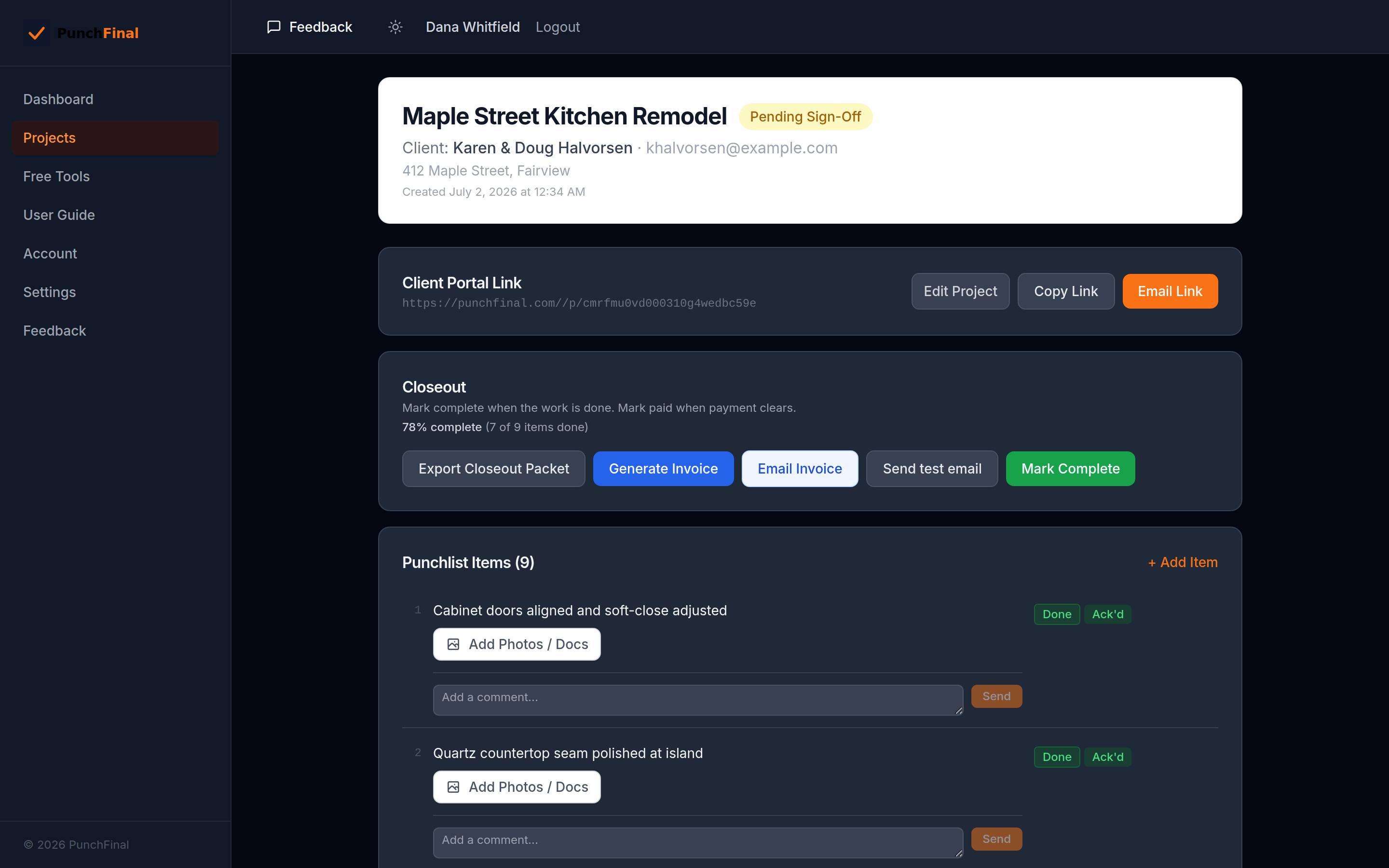
Your project page: every item, its work status, and what the client has acknowledged — in one screen.
Payment disputes cost remodelers $2K–$20K per job.
They don't have to.
Without documentation, "I thought you were going to fix that" is enough to hold up payment for weeks. With PunchFinal, every item is logged, every acknowledgment is time-stamped, and the client signs off digitally before the invoice goes out.
Not another project-management platform
You already have a way to run your jobs. PunchFinal does one thing — the closeout that gets you paid.
What PunchFinal isn't
- No scheduling, Gantt charts, or daily logs
- No client onboarding or logins to manage
- No per-seat pricing that grows with your crew
- Not something you open every single day
What PunchFinal is
- The punch walk, sign-off, and closeout — one tool
- A link your client opens in any browser, no app
- A dated record you attach to the final invoice
- Used in the last week of a job, then you're done
Your client signs off from their phone
No app to install. No password to remember. They tap a link, review the work, and sign with a finger.


Your phone
Build the punchlist from the truck — add items, snap photos, mark work done as you go.

Their phone
They open one link in any browser, review each item, and sign with a finger — no login.
How it works
Three steps. Five minutes. Done.
Create your punchlist
Add items, attach photos, set the payment amount. Takes less time than a text message.
Share the link with your client
One link. No app download. No login. Client reviews every item on their phone or laptop.
Get digital sign-off + PDF
Client signs with their finger. You get a timestamped PDF you can attach to the invoice.
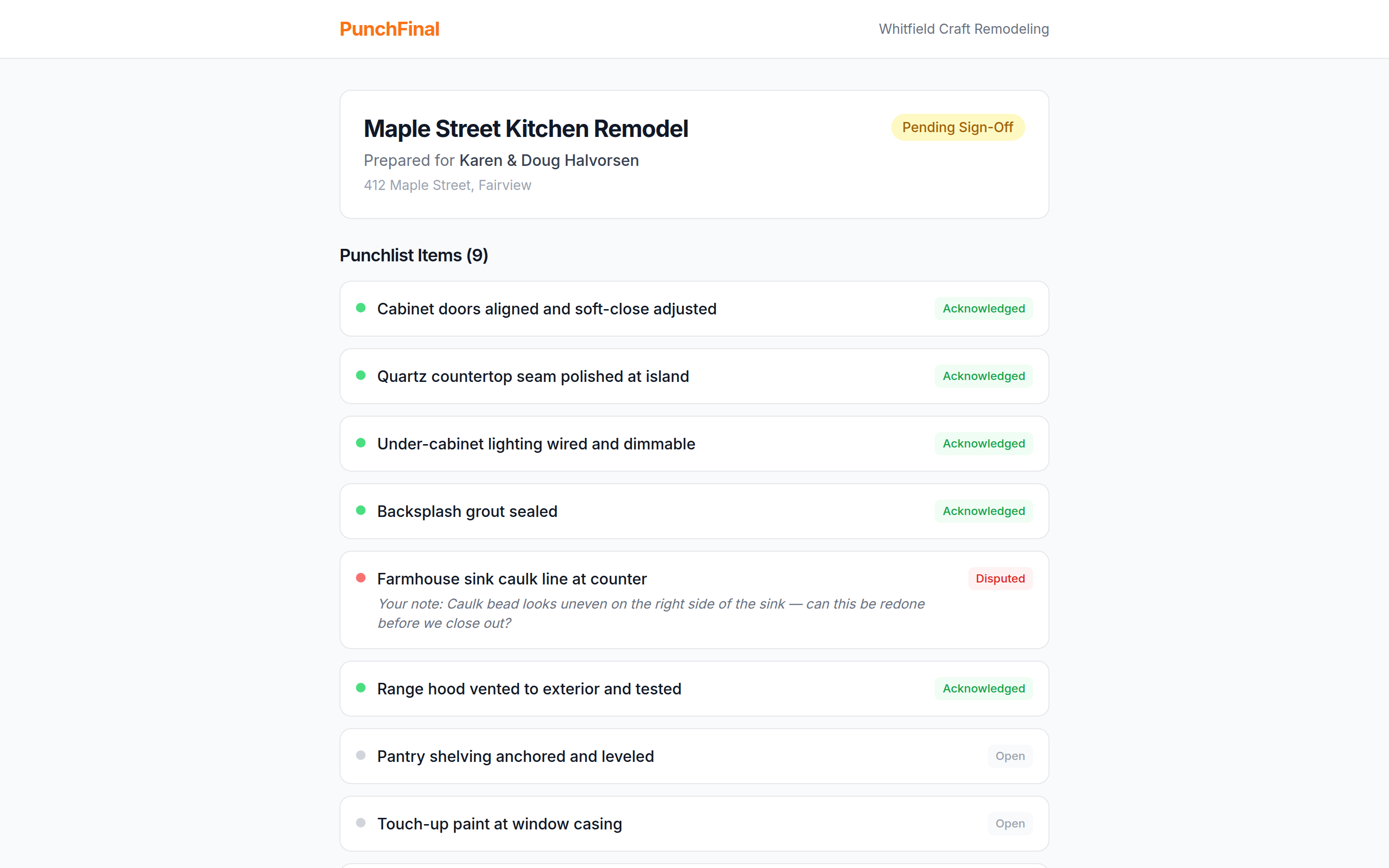
Disputes surface before sign-off, not after.
Your client can flag any item as disputed — with a note explaining what's wrong — before they sign. You see exactly what's holding up the final payment while you're still on site, so you fix it and close clean.
- Client marks an item Disputed and adds a note
- You get the specific problem, not a held check with no reason
- Fix it, they re-acknowledge from the same link, done
Everything you need
Built for remodelers, not enterprise IT.
A dated record for the invoice
Every sign-off produces a PDF with the exact date, time, client name, and signature — the dated record you attach to the invoice so there's no debate later.
No client app needed
Your client gets a link. They open it in a browser, review the list, and sign. Nothing to download.
Stripe payment link
Attach your Stripe payment link to the project. After sign-off, the client can pay in the same flow.
Photo documentation
Attach photos to each punchlist item. Clients can acknowledge, dispute, or leave notes on any item.
Disputed item tracking
Clients can mark items as disputed instead of signing. You see exactly what they're pushing back on.
Ready in minutes
No training required. If you've used a Google Form, you can use PunchFinal.
Who it's for
The remodeler running 1–5 jobs at a time, closing out with a homeowner.
Kitchen remodelers
Cabinets, counters, backsplash, lighting — a punch walk full of small fixes the homeowner wants to see closed.
Bath remodelers
Tile, glass, fixtures, caulk lines. The details that hold up a final check are exactly what the sign-off nails down.
Whole-home remodelers
Room-by-room punchlists with photos, one clean sign-off, and a dated record when the homeowner writes the last check.
Not built for commercial GCs with complex, multi-party closeouts — the flow assumes one homeowner and one final-payment sign-off.
Simple pricing
Start on Solo. Move up when you need more.
One delayed final payment costs more than a year of PunchFinal.
- Unlimited projects + punchlist items
- Photo attachments with timestamps
- Digital sign-off + timestamped PDF
- Stripe payment link integration
- Client acknowledge / dispute / comment
- Two-way comment thread per item
- 14-day free trial · No card required
No credit card required. Cancel anytime.
Billed monthly · Cancel anytime
- · Everything in Solo
- · Proposals with client signoff
- · Parts + labor breakdown
- · Logo on PDF, custom invoice numbering
- · Email signature, footer, terms
Billed monthly · Cancel anytime
- · Everything in Pro
- · Multi-user accounts
- · Saved service + parts catalog
- · Advanced reporting
- · White-label option
Frequently asked questions
The honest answers, not the marketing ones.
Is this another Buildertrend?+
No. PunchFinal does one thing: the closeout and sign-off at the end of a job. No scheduling, no daily logs, no client onboarding, no per-seat pricing. You use it in the last week of a job, not every day. If you already run a project-management platform, this still fits — it's the sign-off step that gets you paid.
Will my homeowner actually use it?+
They tap a link and see a plain list of what you did, each item with photos. No account, no app, no password. They acknowledge each item and sign with a finger. If they can open a text message, they can sign off — most homeowners finish in a couple of minutes.
Do my subs or clients need to download an app?+
No. Your client opens a browser link — nothing to install, no login. You run everything from your phone or laptop. There's no app for anyone to download.
Why not just use texts and photos?+
Texts scatter. Six months later, "I thought you were fixing that" turns into a held check with no clean record of what was accepted. PunchFinal keeps every item, photo, and acknowledgment in one place and ends with a dated sign-off you attach to the invoice — one link instead of a buried thread.
What if the client keeps adding items and never signs off?+
The punchlist is yours — the client can acknowledge, dispute, or comment on items, but they can't add new ones. You control what's on the list. They review what you built and sign off on that. If they push back on something, it shows up as a disputed item so you can settle it before the final check, not after.
What if the client won't sign?+
You still come out ahead. Disputes show up as flagged items before sign-off, so you know exactly what's holding up the check and can fix it while you're still on site. If a client signs off in person or you don't need a portal signature, you can Mark Complete yourself and generate the dated invoice either way.
What problem does PunchFinal solve?+
Payment disputes on residential remodel jobs that drag out the final check by weeks. PunchFinal gives you a digital punchlist your client signs off on, with a timestamped PDF you can attach to the invoice — so there's no debate about what was done and accepted.
How does the punchlist signoff process work?+
You create a project, add punchlist items (with photos if you want), and share a single link with your client. They open it in any browser — no app download, no login — review each item, and sign with their finger. You get back a timestamped PDF.
How is payment handled?+
You attach your own Stripe payment link to the project. After your client signs off, they can pay in the same flow. PunchFinal doesn't touch the money — it lives between you and Stripe.
What does it cost?+
$29/month for Solo, billed monthly, cancel anytime — 14-day free trial, no card required. Pro ($49) adds proposals with client sign-off plus parts/labor pricing; Team ($99) adds multi-user accounts. All three tiers are available now.
Is it for residential or commercial contractors?+
Built for residential remodelers. The flow assumes a homeowner client, a single project, and a final-payment signoff. Commercial GCs with complex multi-party closeouts will find it light.
How do I get started?+
Sign up for the 14-day free trial — no credit card. Create your first project in under five minutes. If you've used a Google Form, you can use PunchFinal.
Start your free trial today
Set up your first project in under five minutes. No credit card. No sales call.
Get started free →